Windows Desktop · Runs Locally

Your own crypto futures
workstation

Chart, backtest, and automate futures strategies from your own Windows PC. Pluggable Python strategies, a full backtest engine, and a paper-trading simulator — all running on your machine, not someone else's cloud.

v1.0.0 · Windows 10/11 64-bit · ~57 MB · Free to try
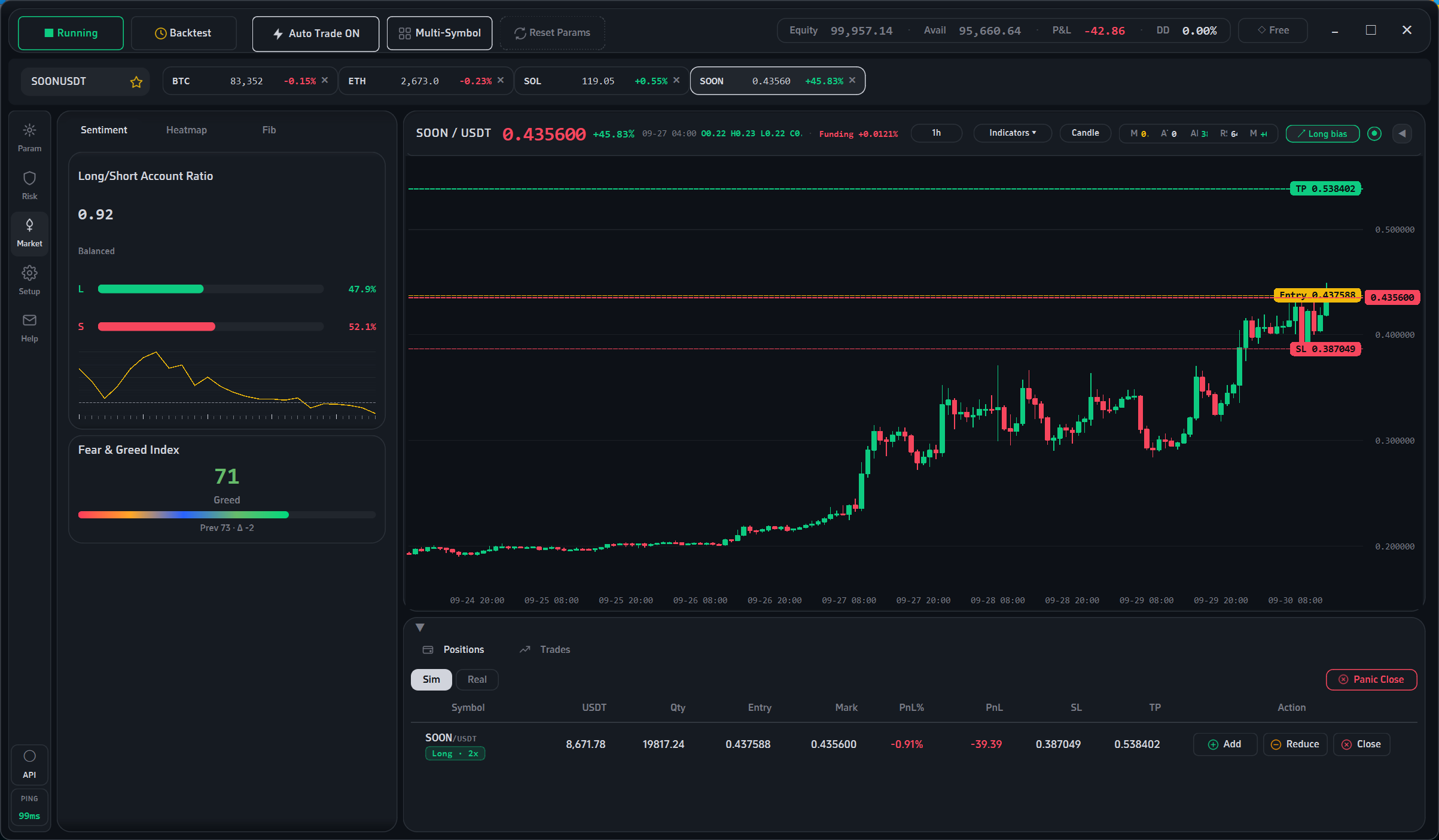
Nyx main chart interface

Built different. On purpose.

Most trading tools send your data to a server, charge a monthly subscription, and lock you into their workflow. Nyx does the opposite.

01 — LOCAL

Runs on your machine

Every calculation, every chart, every backtest runs on your own CPU. Config, API keys, positions, and trade history live on your disk — never on a server you don't control. No telemetry, no account required.

02 — FREE

Paper trading is free forever

The chart, the full backtest engine, and the paper-trading simulator cost nothing, forever. No subscription, no trial timer, no credit card to download. Pay only if you want optional live execution.

03 — PLUGGABLE

Bring your own strategies

Drop a .py file into the strategies/ folder and it appears in the UI on the next launch. The framework handles position sizing, risk management, and order execution — your strategy just emits signals.

Everything in one window

A trading desk that fits on one screen — chart, indicators, positions, backtest, and automation, without twelve tabs.

◈

Advanced charting

Candlesticks, Heikin-Ashi, OHLC, line, area — plus BOLL, MA200, RSI, MACD, KDJ, Fibonacci, Pivot Points, VWAP, SuperTrend, Donchian, S/R zones, and high/low markers. All toggleable from one toolbar, all rendered in a custom fast painter.

⏱

Backtest engine

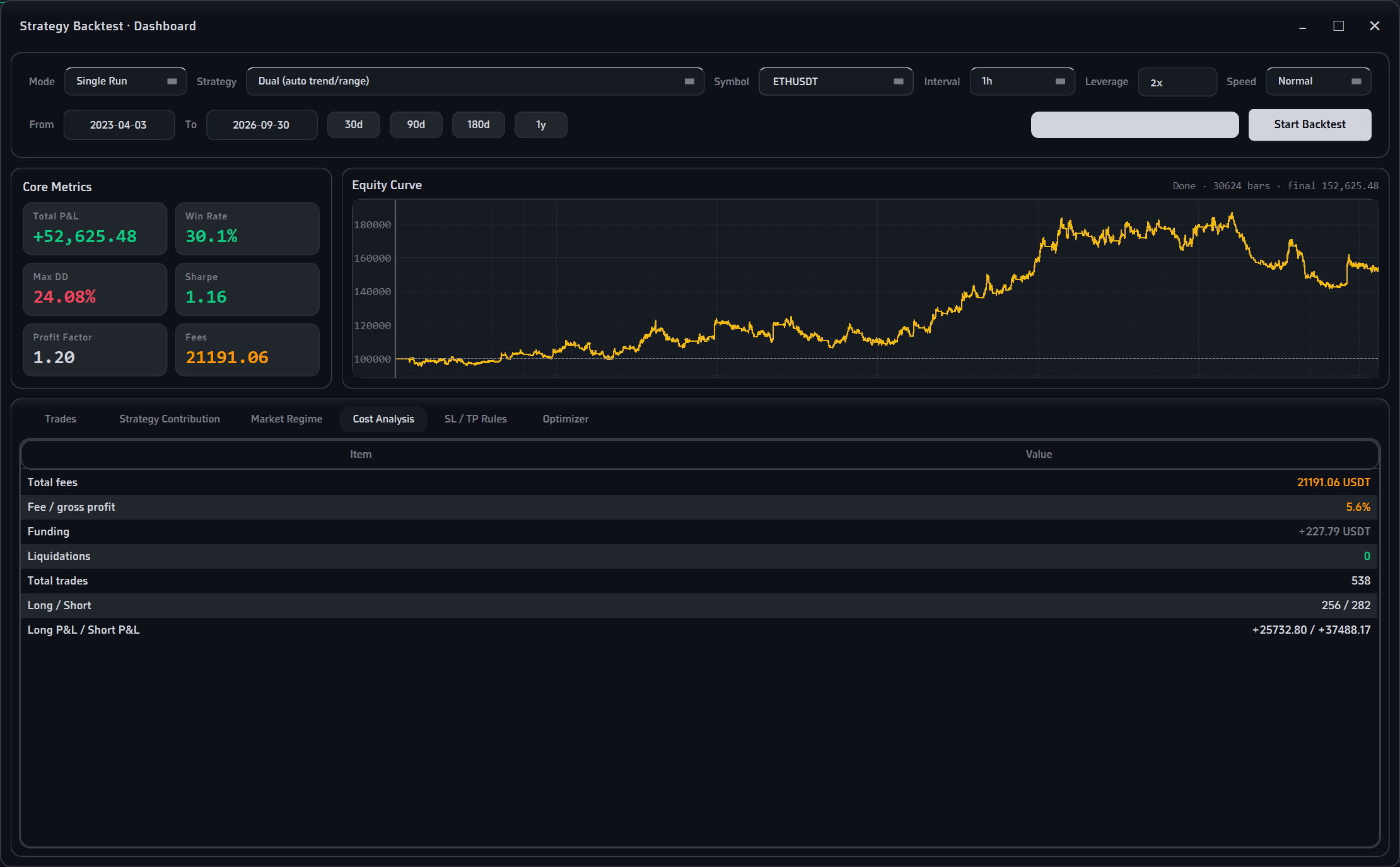
Full in-sample / out-of-sample split to catch overfitting. Detailed reports: PnL, Sharpe, profit factor, max drawdown, fee and funding breakdown, long vs short attribution, and per-regime trade stats.

◇

Paper trading simulator

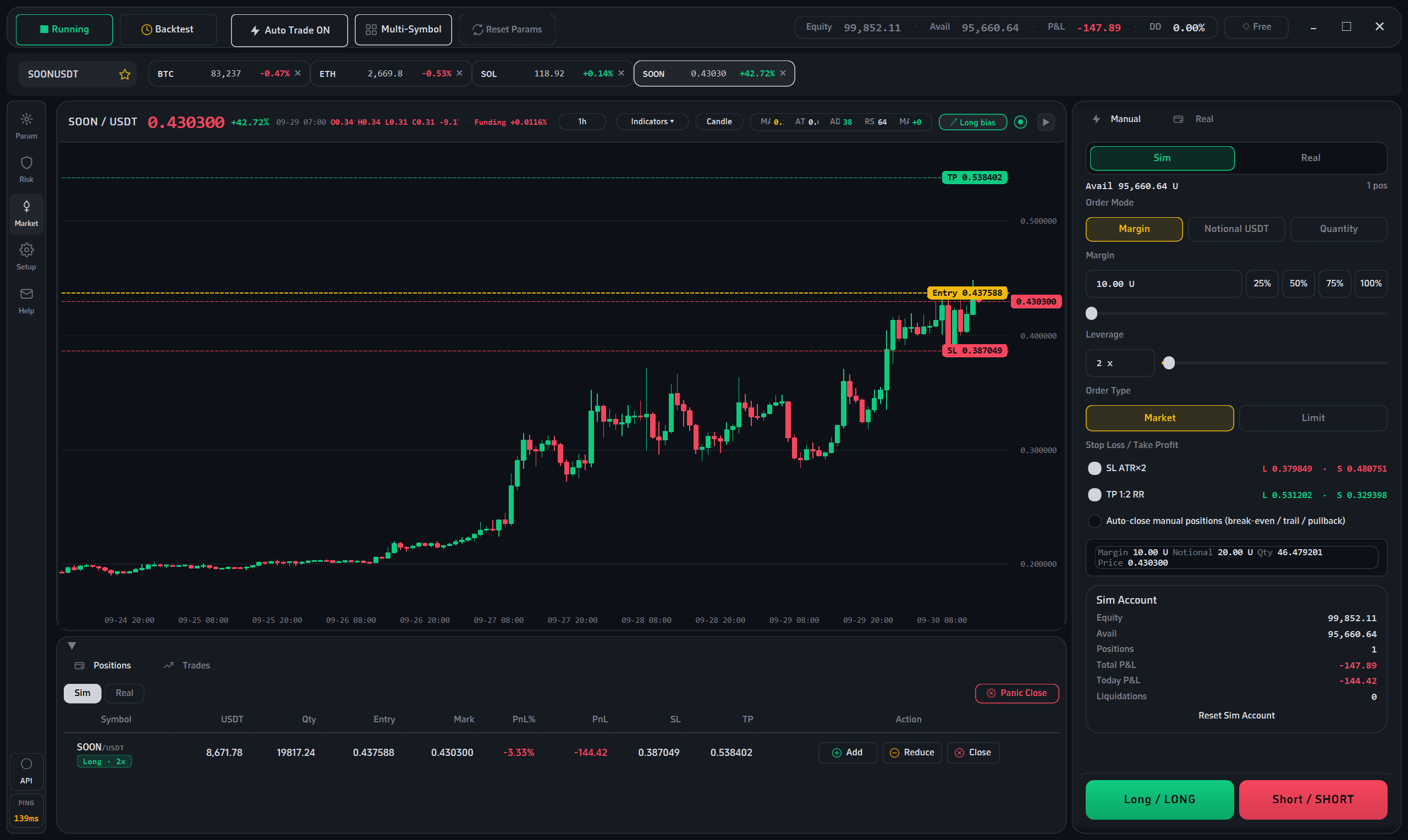
Realistic fees, slippage, and funding rates. ATR-based position sizing with configurable per-trade risk. Multi-symbol mode. Runs 24/7 in the background so you can validate a strategy without risking capital.

◉

Pluggable strategies

Two presets included: Donchian breakout (trend) and Bollinger+RSI (range). Write your own in Python — a single signal() function plus a PARAMS list is all it takes. The UI auto-generates controls from your PARAMS.

▤

Risk controls

Per-trade loss limits as a percentage of equity. Daily drawdown kill-switch (with a 4-hour cooldown on the toggle, so you can't disable it in a panic). Consecutive-loss pause. Global emergency close. ATR-based sizing so bad days hurt less.

⚡

Optional live execution

If — and only if — you enable it, Nyx can place real orders on your own Binance futures account via your own API key. Stop-loss orders are attached to every position on the exchange side, so a crash of the app can't leave you naked. Requires a paid license.

How Nyx compares

The honest version. Cloud platforms have their place — Nyx just isn't one of them.

Feature Nyx Typical cloud bot
Where your data livesYour own diskTheir server
Monthly subscriptionNone$20–$100/mo
Paper tradingFree foreverUsually paywalled
Strategy source codePlain Python you can readBlack box
API keysNever leave your machineUploaded to their server
Works offlineYes (cached data)No
Account requiredNoYes
Backtest overfitting checkBuilt-in OOS splitRare
Pricing modelOne-time per license periodRecurring

Take a look inside

Clean, dark, and uncluttered. Every control is where you'd expect to find it.

Backtest results and equity curve
Manual order panel

Simple, one-time pricing

The app, the chart, the backtest engine, and paper trading are free forever. Paid licenses only unlock optional live execution. No auto-renewal, no hidden fees.

1

Download the app

Free, no account needed. Try the chart, backtest, and paper trading for as long as you want.

2

Test your strategy

Run backtests, tune parameters, and let the paper simulator trade for a week or two — all on virtual money.

3

Buy inside the app

When you're ready, purchase a license from the pill in the app's top bar. Two ways: TRC20 USDT scan-to-pay, or an activation code.

License durations & prices:

7 days
$5
~$0.71 / day
Download & Buy
90 days
$30
~$0.33 / day
Download & Buy
180 days
$50
~$0.28 / day
Download & Buy
365 days
$80
~$0.22 / day
Download & Buy

Paper trading is free forever. No credit card required to download.

Payment is completed inside the app: TRC20 USDT scan-to-pay  or  activation code.

⚠ Not investment advice. Nyx is a technical analysis and automation tool. It does not provide investment advice, portfolio management, or brokerage services. Trading crypto futures involves substantial risk of loss — you can lose more than your initial deposit. Past backtest performance does not guarantee future results. All decisions and their consequences are solely the user's responsibility.

Frequently asked questions

What's free and what's paid?

Free forever: the app itself, the chart and all indicators, the full backtest engine, the paper-trading simulator, multi-symbol mode, and every strategy in the box.

Requires a paid license: only the optional live-execution feature — the part that actually places real orders on your exchange account. If you only trade on paper, you never pay anything.

How do I buy a license?

Download the app first — you cannot buy a license from this website. Once installed, open the app and click the license pill in the top bar. You'll see two options:

  • Scan to pay — pick a duration, scan the TRC20 USDT QR code, transfer, then paste the transaction hash (TXID) into the app. Activation happens automatically once the on-chain payment is verified.
  • Activation code — enter a code issued by the author. Codes stack: adding one extends your existing expiry date.

Each license is bound to one machine. If you change computers, use the "View my machine ID" menu in the app to request an unbind code from support.

Do you collect any of my data?

No. Nyx does not phone home. Config files, API keys, positions, and trade history are all stored on your local disk. The only network calls are:

  • Public market-data endpoints of the exchange you choose (Binance public API), to fetch candlestick data.
  • Your exchange's private API — only if you provide your own API key and explicitly enable live trading.
  • On-chain payment verification (TronGrid) — only when you purchase a license.
Can I write my own strategies?

Yes — that's the point. Drop a .py file into the strategies/ folder that follows the documented contract (a NAME, a DESC, a PARAMS list, and a signal() function), and it appears in the strategy dropdown on the next launch.

Your strategy only emits signals. Position sizing, stop-loss management, take-profit logic, and order execution are all handled by the framework, so your strategy stays a few dozen lines of clean Python.

What are the system requirements?

Windows 10 or 11, 64-bit. About 500 MB of free disk space after install. No Python installation needed — the runtime is bundled. Native Apple Silicon / Linux builds are not currently available.

Why does Windows Defender flag the installer?

This is a known false positive that affects many PyInstaller-packaged apps which aren't yet signed with a commercial code-signing certificate (those run into the thousands of dollars per year for an individual developer). Click "More info" → "Run anyway" to proceed. The installer is safe.

What is your refund policy?

License fees cover the technical service of enabling live execution, which activates immediately upon payment. Because access cannot be revoked, fees are non-refundable. Please test thoroughly with the free paper-trading mode first — it uses the same engine as live mode, so you'll know exactly what you're getting.

Is this legal in my country?

You are responsible for complying with the laws and regulations of your own jurisdiction. Crypto derivatives trading is restricted or prohibited in some countries (including mainland China, the United States, and several other jurisdictions). Nyx is a local software tool — it does not provide brokerage services, hold funds, or intermediate transactions. Whether you may legally use it depends entirely on where you are.